Quick start
Choose and set up tracks, in panels
A project has sixteen tracks, and any of them can be any type. Hold SAMPLE to see them all and pick one. The full details are in the manual. All quick start guides
Choose a track
Track types!
DRUMAUDIOMIDIKEYGROUPPLUGIN
Drum holds samples on 128 pads, banks A to HAudio holds recordings as regions on a timeline, eight tracks at mostMIDI sends notes to other gear, Keygroup plays each pad across a range of keys, and Plugin plays an instrument from a plugin file
Select a track!
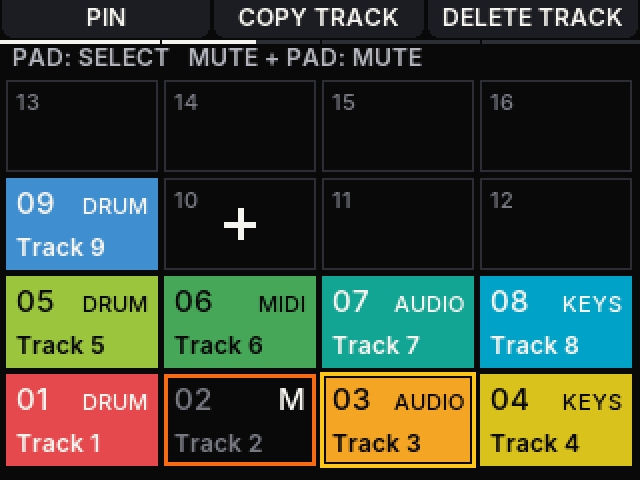
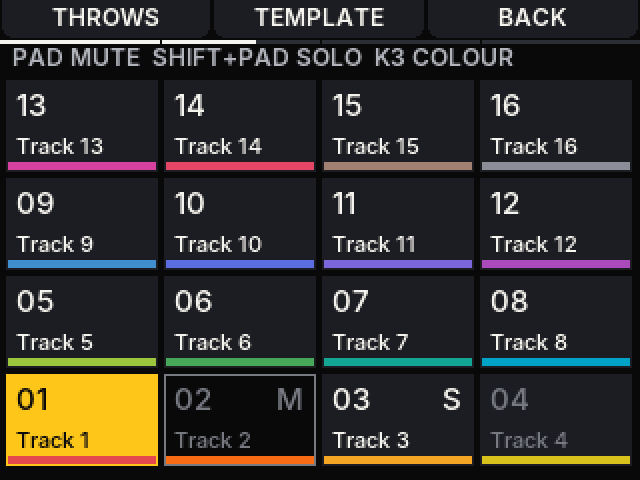
Hold SAMPLE for a moment: the sixteen tracks show in their colours, each with what it isA pad selects its trackA tile marked M is muted
Pin it, mute from it!
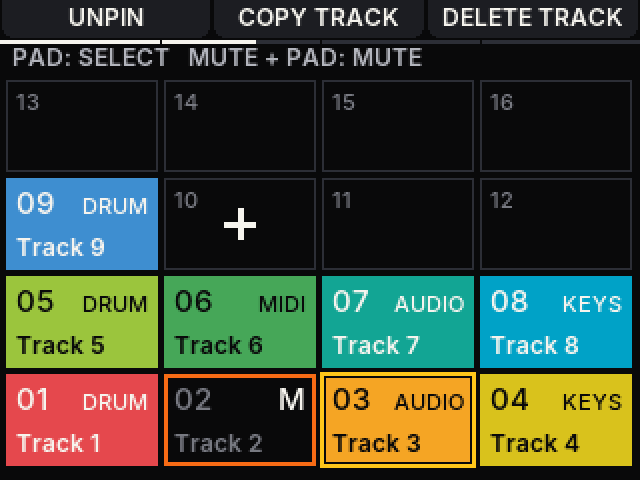
B1 pins the overview so it stays when SAMPLE is let go, and unpins it againWith MUTE held, a pad mutes or unmutes its trackWhen it is pinned, B1 or SAMPLE leaves it
Copy or delete a track!
On the overview, B2 COPY TRACK copies the selected track to the next free one, with this sequence's notesB3 DELETE TRACK deletes it after asking: press B3 againIts samples stay in the Sample PoolEach is one undo
Make a new track!
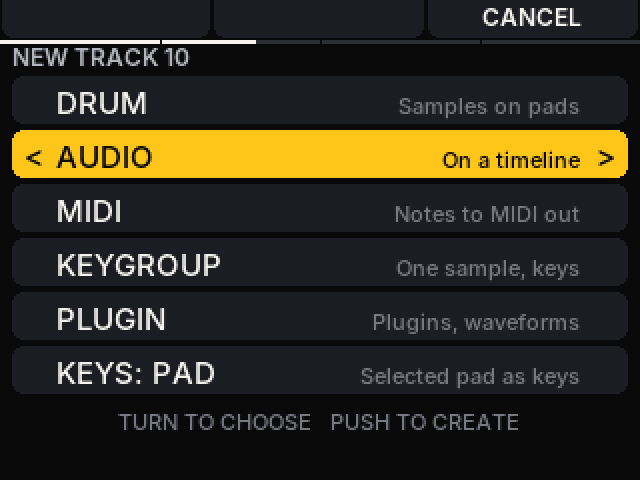
A free tile, marked with a plus, opens New Track, and so does B3 on the Main screenThe encoder chooses Drum, Audio, MIDI, Keygroup, Plugin or Keys: Pad, and PUSH makes it; B3 cancelsKeys: Pad needs a drum pad with a sample selected, and makes a Keygroup track from that pad's sound
The Track page
Open the Track page!
STOP and pad 12 open the Track page, and so does B1 on the Main screenIts rows are in five groups: Type and MIDI, MIDI In, Ducking, Mix and JobsB1 and B2 jump between the groups, the encoder chooses a row, − and + change it and PUSH runs a job
Voices and groups!
In the Mix group, Voices is Poly, or Mono: one sound at a time on the whole track, each new note ending the one beforeMute Group is Off or 1 to 16, and muting one track of a group mutes them allOn a Mono Keygroup track the Legato, Glide and Glide On rows set how notes join
Duplicate, explode, clear!
DUPLICATE TRACKEXPLODE TRACKCLEAR TRACK
PUSH
In the Jobs group PUSH runs a rowDuplicate Track copies the track's pads, sounds, mix, inserts and type to the first unused track after it, and Duplicate + Notes brings this sequence's notes tooExplode Track gives pads tracks of their own (− and + choose each pad, a mute group together, or this bank only); Clear Track takes PUSH twice
Bounce to Audio!
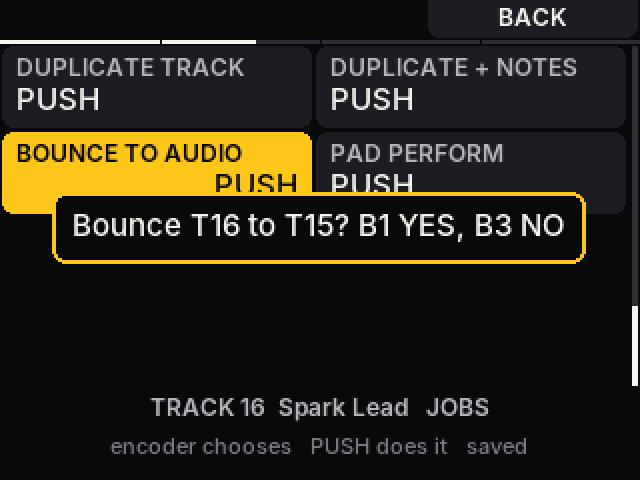
On a plugin track, PUSH on Bounce to Audio asks whether to bounce: B1 says yes, B3 withdraws itThe track plays alone, without sends or Main's effects, for the sequence once plus a short tail, and lands as an audio track on the first free trackThe plugin track is muted, not deleted, and it is one undo
Pad Perform!
The Pad Perform row in the Jobs group turns the pads into a scale played from the selected padPUSH switches it on and off, and 16 LEVELS ends it tooIt is the Scale mode of Pad Perform Setup, which SHIFT and 16 LEVELS open
Mute and templates
Track Mute!
STOP and pad 11 open Track Mute: a pad mutes its track, SHIFT and a pad solos it, and K3 gives the selected track a colourA muted tile is hollow with an M, a soloed one carries an SEach sequence keeps its own mutes, and a song follows each step'sSHIFT and B1 turn pads 9 to 16 into throws of the selected track, such as echo, reverb, filter and stutter, heard while the pad is held
Templates!
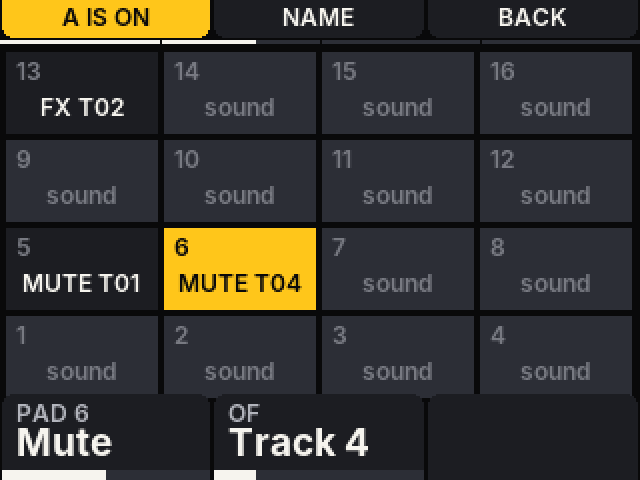
On Track Mute, B2 opens TemplatesB1 steps Off, A and B, and a template gives each pad a job: its sound, a track's mute, or a track's insert on or offK1 and K2 choose the job, B2 names the template, and templates are kept in the settings file, not in the project
Keygroup, MIDI and audio
Keygroup zones!
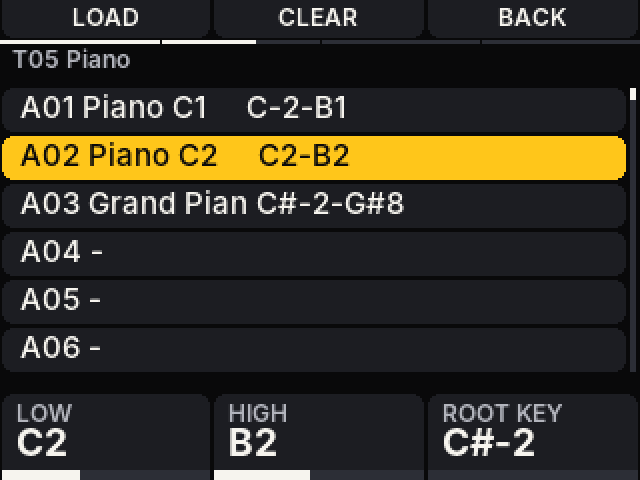
On a Keygroup track, PUSH on the Track page's Type row opens Zones: one keygroup for each pad, with its sample and the notes it sounds onK1 is the lowest noteK2 the highestK3 the root key, where the sample sounds trueB1 loads a sample, B2 clears the row, and SHIFT and B2 open Layers, up to eight for one keygroup
A MIDI track!
CHANNELTRANSPOSEVELOCITY SCALEPROGRAM
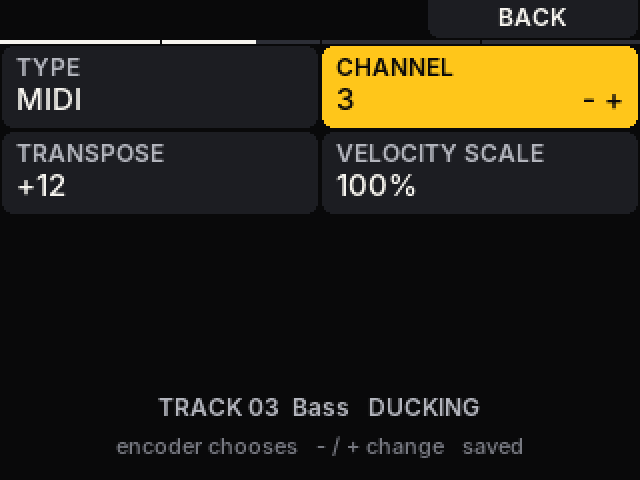
A MIDI track sends its notes out on its own channelOn the Track page, Channel, Transpose, Velocity Scale, Velocity Offset, Program and the bank rows shape what is sentMIDI In Arm lets the track take notes from MIDI in while another track is selected
An audio track!
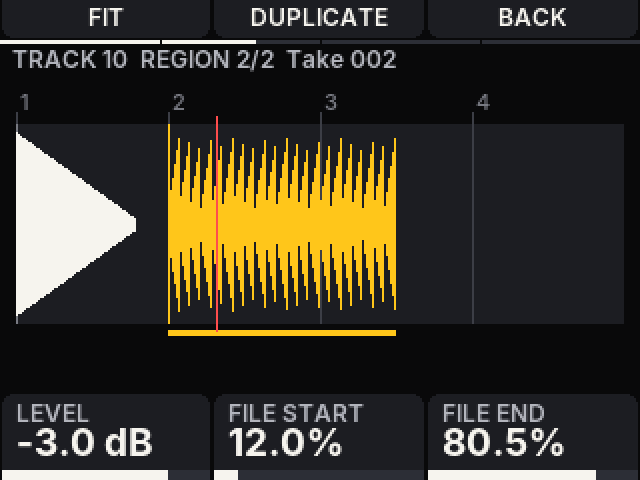
With the sequence row in focus, PUSH on the Main screen opens the Audio Grid of an audio track− and + choose a region and the encoder moves it; K1 is its level, K2 and K3 where in the file it starts and endsB1 fits it by stretching and B2 duplicates it
More guides