Open the Grid!
PUSHorSTOP+PAD 6
On the Main screen, with the sequence row in focus, press PUSHSTOP and pad 6 open it from anywhere, and so do SEQ pressed twice or SHIFT and SEQSEQ leaves it
Quick start
The Grid has two modes: STEPS, where the pads are the steps, and EVENT, where a cursor moves along the lane. The full details are in the manual. All quick start guides
On the Main screen, with the sequence row in focus, press PUSHSTOP and pad 6 open it from anywhere, and so do SEQ pressed twice or SHIFT and SEQSEQ leaves it
SHIFT and B2 change to the other mode: EVENT or STEPSThe label on B2 names where it goesThe Grid starts in EVENT, and the buttons and knobs are the same in both
SHIFT and the encoder move the cursor a lane up or down, inside its bank of sixteen. − and + also move it to the lane before or after.
In STEPS the sixteen pads are the sixteen steps of the cursor's lane. Let a pad go quickly and its step switches on or off, at the velocity you hit it with.
Hold a pad a little longer, or turn a knob while you hold it, and the step is edited: K1 nudges it, K2 sets its length and K3 its velocityHow long counts as held is Settings > Step Hold
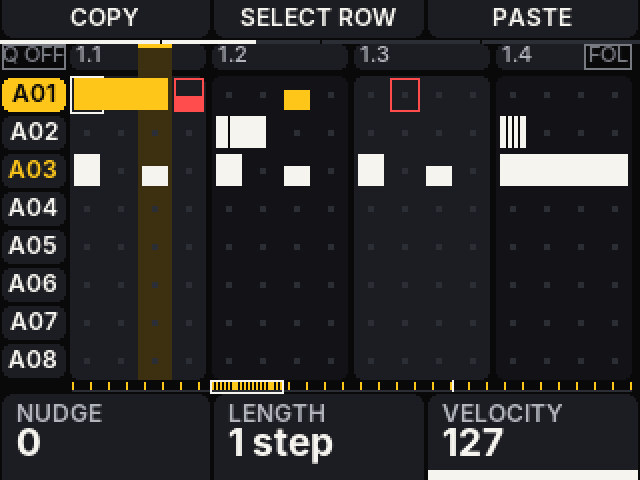
SHIFT and K3, or the fader, choose how many bars are across, from 1/4 to 32Up to 4 bars each column is one step, and a frame marks the page the pads editSHIFT and the fader choose four, eight or sixteen lanes
In EVENT the encoder moves the cursor along the lane, a step at a timeK1 nudges the event it stands on, an eighth of a step for each turn of the knobK2 sets its lengthK3 its velocitySHIFT and the knobs are Fine, Ticks and Bars
While stopped, press SEQ RECORD and a pad: it writes its event at the cursor, at the velocity you hit it with, and its lane becomes the cursor'sWithout SEQ RECORD a pad just plays
ERASE erases the notes you have selected (drawn red), wherever the cursor is; with none selected, the event the cursor stands onHold ERASE and turn the encoder to erase every event on the cursor's lane that it passesEach is one undo
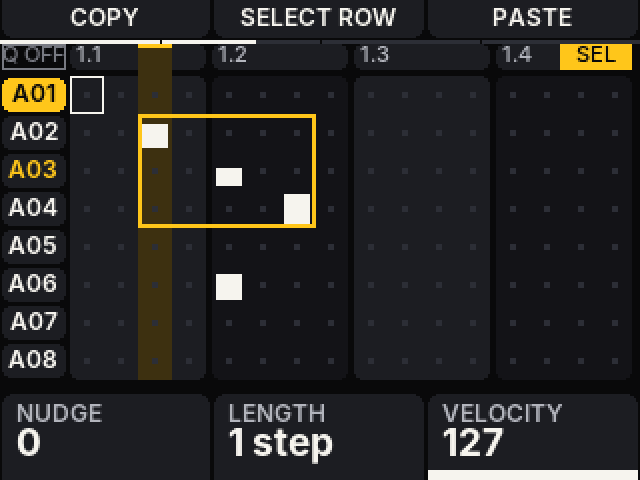
PUSH opens a box from the cursorThe encoder widens it along the steps, SHIFT and the encoder or − and + go down the lanes, and PUSH again marks every note that starts inside and ends the modeMarked notes take ERASE and K1 to K3
SAMPLE and a pad select that step's note, or mark several with Select cellsSelected notes are redK1 nudges them an eighth of a step for each turn of the knob, the cell counting the ticks off the step, and SHIFT and K1 move them a tick at a timeThe fader places them anywhere in the sequenceERASE removes every red note, wherever the cursor isThey stop at the ends of the sequence and say soEach turn is one undo
B1 copies the selected or marked notes, or the cursor lane's notes in the bar; press it again within two seconds for the whole barSHIFT and B1 cutB3 pastes at the cursor (again within two seconds: Replace) and SHIFT and B3 duplicateB2 selects the whole row
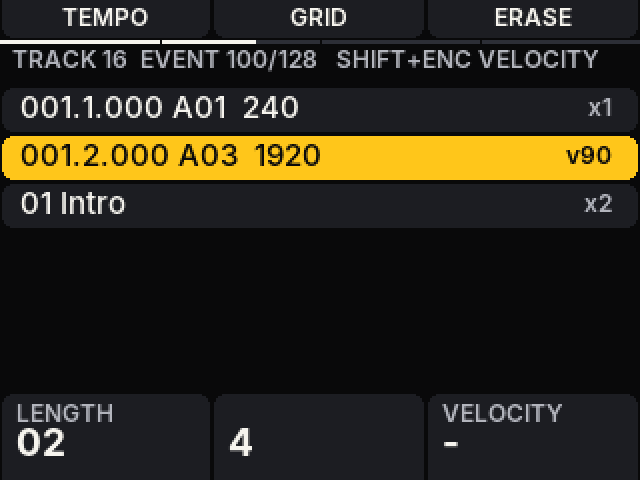
STOP and B1 open List Edit: every event of the track as a listThe encoder chooses an event, − and + choose Time, Pad, Length or Velocity, and SHIFT and the encoder change that field