Quick start
Use insert effects, in panels
Every channel has insert slots. Choose an effect for a slot, hear it, shape it with the three knobs, or open it on its own page. The full details are in the manual. All quick start guides
Insert slots
Slots on every channel!
TRACK 4SUBMIX 2INPUT 3RETURN 1MAIN 8
A track has four insert slots, a submix two, an input three, each return one and Main eightMain's are heard one after the other, four on screen at a timeA pad can have an insert of its own too, and eight pads of a project can at a time
List a strip's slots!
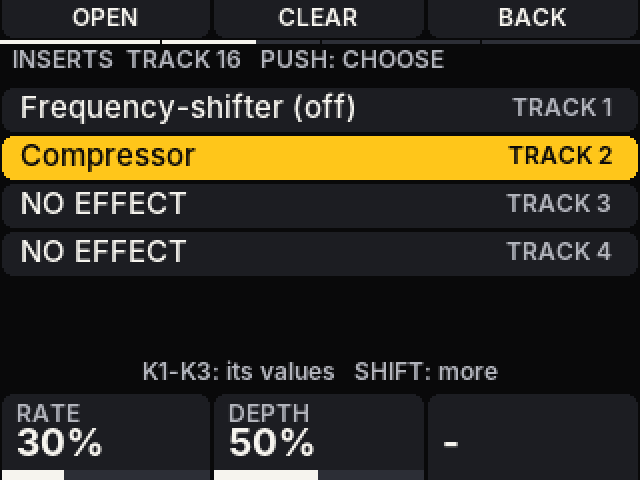
In the Mixer, PUSH on a strip lists its slotsThe encoder chooses a slot, and K1 to K3 shape its effect right there, with SHIFT for more valuesB1 opens the effect on its own page, B2 clears the slot and B3 goes back
A pad's own insert!
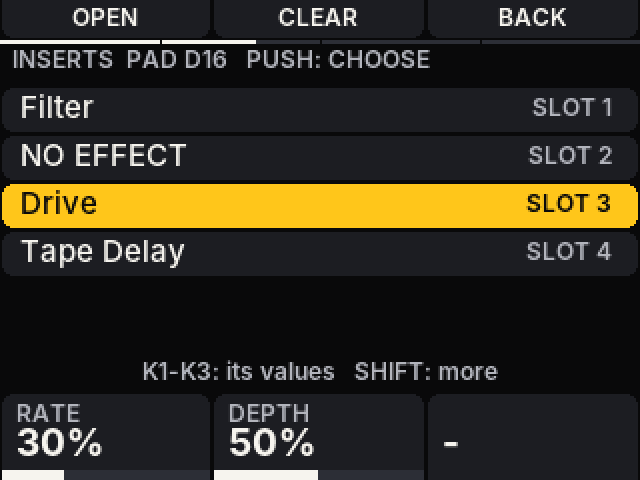
The selected pad has four insert slots of its own, heard one after the other, on the Pad Mixer: B1 on the Mixer opens it, and PUSH on a pad's strip lists themA pad you play there jumps the page to its stripB2 shows the bank's other eight pads
Choose and shape
Choose an effect!
PUSH›TURN THE ENCODER›PUSH
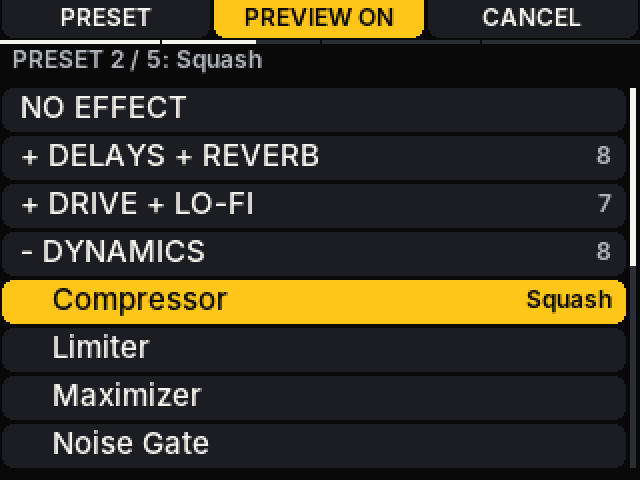
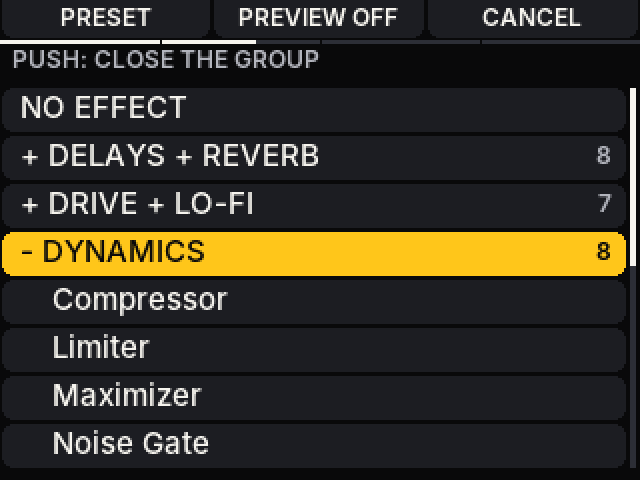
PUSH on a slot lists No Effect and then the groups: Delays + Reverb, Drive + Lo-Fi, Dynamics, Filters + EQ, Master FX Chain, Modulation and Time EffectsPUSH on a group opens or closes it, and PUSH on an effect uses itB3 leaves the slot as it was
Patina!
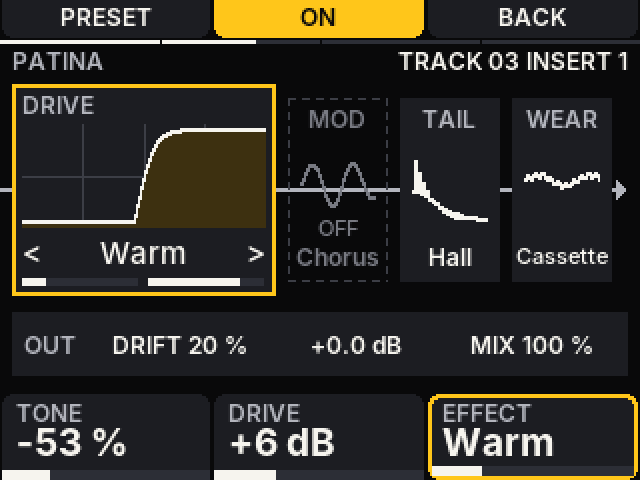
Patina is one effect of four sections along a line: Drive, Mod, Tail and WearEach section plays one of its five effects or is off, with a character on K1 and an amount on K2Put Patina in a slot from Drive + Lo-Fi and press B1 to open its page- and + move along the line, the encoder changes the open station's effect, K3 is the effect, and B2 or PUSH turns a station off and onOn OUT the knobs are Drift, Output and Mix, and the encoder steps the eight presetsNot heard on the unit yetTested on a computer only
Hear it first!
With Preview On, B2, the marked effect sits in the slot and is heard at once; off, nothing changes until PUSHB1 steps the marked effect through its ready-made settings, and SHIFT and B1 go back onePreview is also Settings > Effect Preview
Open an effect!
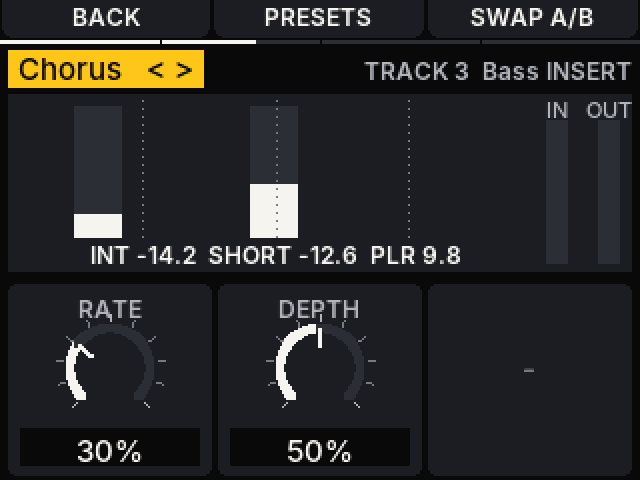
On Inserts, B1 Open shows the effect on the whole screen: its name in a frame, a picture of what it does, IN and OUT meters and three dials over K1 to K3The encoder steps through the effects and SHIFT shows further valuesB1 is Back, B2 Presets and B3 Swap A/B
Off, clear, swap!
SHIFT and B3 switch the marked slot's effect off and on, kept with its values and shown as (off)B2 clears the slot, one undoOn a track, SHIFT and the encoder swap two of its slots, changing the order they are heard in
Master effects in a slot!
The Master FX Chain group of the list holds Color, Compressor, EQ, Limiter and StereoOn a track's slot they put the effect into the slot and open its page over it, titled with the track, such as TRACK 3 COMP, where the knobs change the track's effect and never Main'sOn a pad's, a return's, a submix's or Main's slot they open Main's page
A track's EQ!
SHIFT and PUSH on a track's strip open its EQ: six bands, with the curve drawn over what the mix is doingK1 chooses the bandK2 its frequencyK3 its gainThe first time it takes a free insert, set flat, and MUTE there turns it off and on
Returns and plugin effects
Sends and returns!
SHIFT and K1 to K3 on a track's strip are its sends 1 to 3, to the three returns on the Mixer's last page beside MainEach return has one effect slot: PUSH on its strip lists it, and effects are chosen as in any slotOn a return strip K1 is its level, and K2 and K3 shape its effect
A plugin in a slot!
On Inserts, PUSH on a track's slot or a pad's own insert, then choose Plugin, the last row of the list, and a plugin fileIt is heard in that slot in place of a built-in effect, in one undoThe row names the plugin and PUSH on it opens its page; B2 clears it, and so does ERASE on its page
After a return, Main, a track!
SHIFT and PUSH on a return's strip put a plugin in place of that return's built-in effect, and on Main's strip they put one after Main's insertsThe Track page's FX Plugin row, with PUSH, puts one after the track's four insertsThe list is titled FX Plugin, its first row No Plugin takes a plugin away, and so does ERASE on its page
Airwindows!
The card carries the Airwindows effects as one plugin file, listed with the othersA big file sorted into kinds shows the kinds first, with ALL at their top and < KINDS at the top of a kind to go backSHIFT and the encoder move a screen at a time
The Converter!
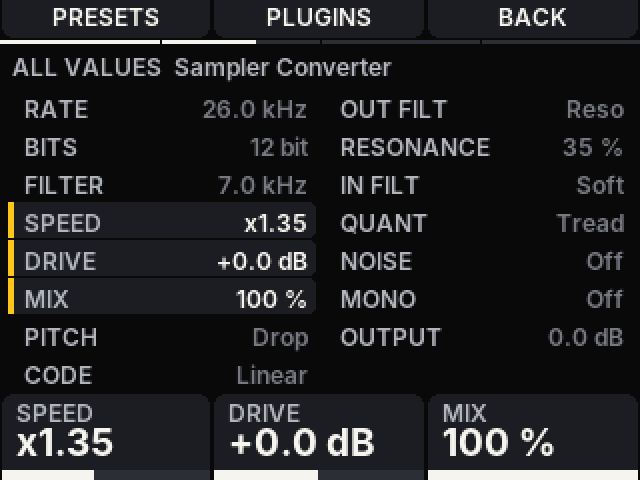
Converter is DFOS's own effect pluginIt models the record-and-replay path of an early sampler: rate and word length, three ways of replaying, drive and output filters, with fourteen programsIt goes wherever a plugin effect goes
More guides