Quick start
Move many values with one macro, in panels
A macro is one value from 0 to 127 that moves up to eight others at once. It lies over the project and never changes the project's own values. The full details are in the manual. All quick start guides
Open and move
What a macro is!
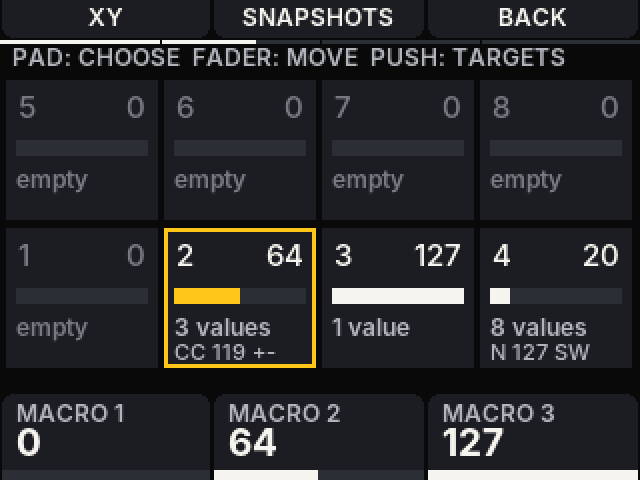
There are eight macrosEach moves up to eight values of tracks, returns, Main and pads, between two ends you choose for eachThe project's own values stay as they are underneath, and a target you clear goes back to its own value
Open Macros!
KNOB FX opens the Macros page, and B3 or KNOB FX again goes backPads 1 to 8 choose the macro, with the accent frame, and the encoder does tooThe tiles lie like the pads
Move a macro!
The fader moves the chosen macro, from 0 to 127K1 to K3 move macros 1 to 3, and with SHIFT held 4 to 6Macros 7 and 8 are moved by the XY page, the fader or a MIDI controller
Targets
Open the targets!
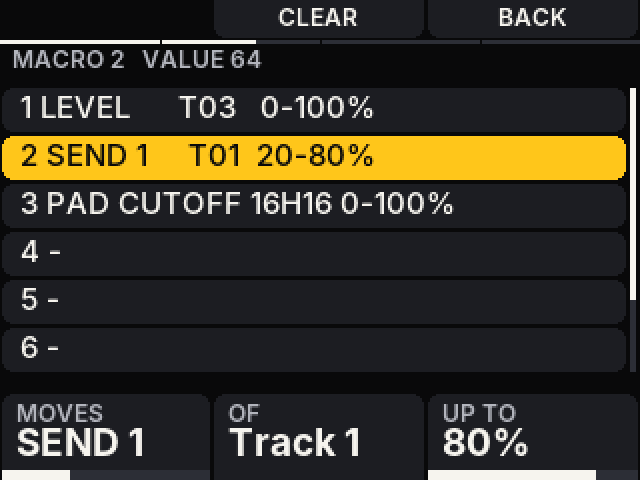
PUSH opens the chosen macro's eight target rowsThe encoder, − and + or pads 1 to 8 choose a rowB3 goes back and the tile shows how many values it moves
Choose what it moves!
K1 chooses what the row moves: level, pan, a send, ducking, insert mix, a return, Main's mix, the first two insert values, or one pad's level, pan or cutoffK2 chooses which track or return
Aim at a pad!
For a pad's level, pan or cutoff, hold SHIFT and turn K2 to choose the pad of that trackA pad's cutoff on a pad whose filter is off turns a filter on while the target exists
Set the range!
K3 sets the top end and SHIFT and K3 the bottom end, which is where the value sits at 0A new target starts so that nothing you hear changesA pad's cutoff on an open filter starts at 100% to 100%, so lower the bottom end first
Clear a row!
B2 clears the row in focus, and the project's own value is heard againUndo brings the row backWhile a macro holds a value, a change to it in the Mixer is kept but not heard
XY and Snapshots
The XY pad!
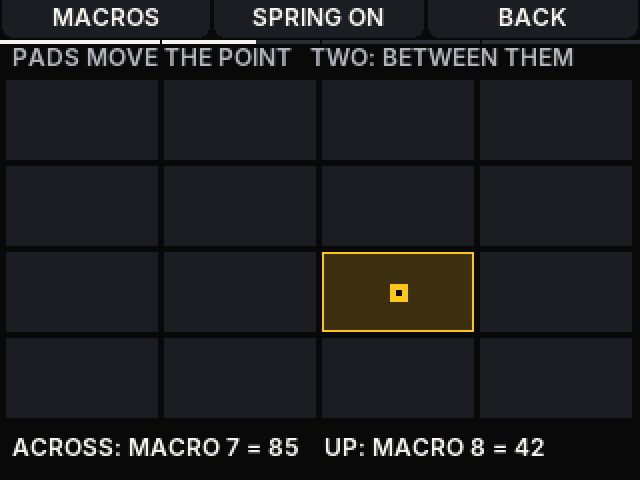
B1 on the Macros page opens XYThe sixteen pads are a square: across is macro 7, up is macro 8, and two pads give the point between themPress harder to travel fasterB2 turns the spring back on or off
Store and recall!
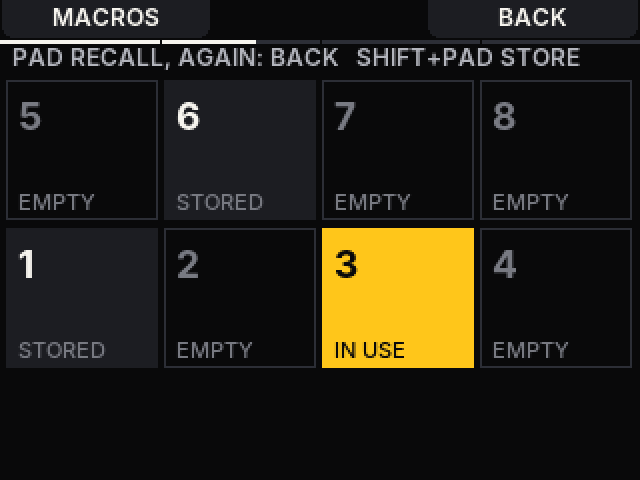
B2 on the Macros page opens Snapshots, eight stored states of the effectsSHIFT and a pad store one, a pad recalls it, and the same pad again goes backTrack levels, pans and mutes are left alone, and store and recall are not steps for Undo
Morph and glide!
After a recall the fader morphs between the mix as it was and the snapshotSettings > Snapshot Glide makes a recall arrive over a beat to four bars instead of at once
Play and record
MIDI Learn!
SHIFT+B2›TURN A CONTROLLER
SHIFT and B2 make the chosen macro follow the next controller that moves or the next note playedPressing it again changes the way it follows, and once more lets goOnly the port and channel set in Settings are heard
Record macro moves!
With SEQ RECORD and PLAY running, a macro's moves of a track's level, pan or sends are written into the sequence and play back with itMoves of the other targets are not written
More guides