Quick start
Go back to firmware 1.3, in panels
DFOS runs on firmware 1.3.0.12 only. If your MPC Sample has 1.4, Akai's updater app can install the older 1.3 firmware. The full details are in the manual. All quick start guides
Before you start
What you need!
MPC SAMPLEUSB-C CABLEMAC OR WINDOWS
The MPC Sample, the USB-C cable that came with it, and a Mac or a Windows computerDFOS needs firmware 1.3.0.12 and does not run on 1.4Akai's own article does not describe going back, so these steps follow its update method with the older version chosen
Keep a copy first!
PROJECTS›COPY OFF THE UNIT
Copy your projects and samples off the unit first, to be safe. Akai's article does not say whether an update changes them.
Get the 1.3 updater
Looking for older versions?!
MPC SAMPLE DOWNLOADS›LOOKING FOR OLDER VERSIONS?
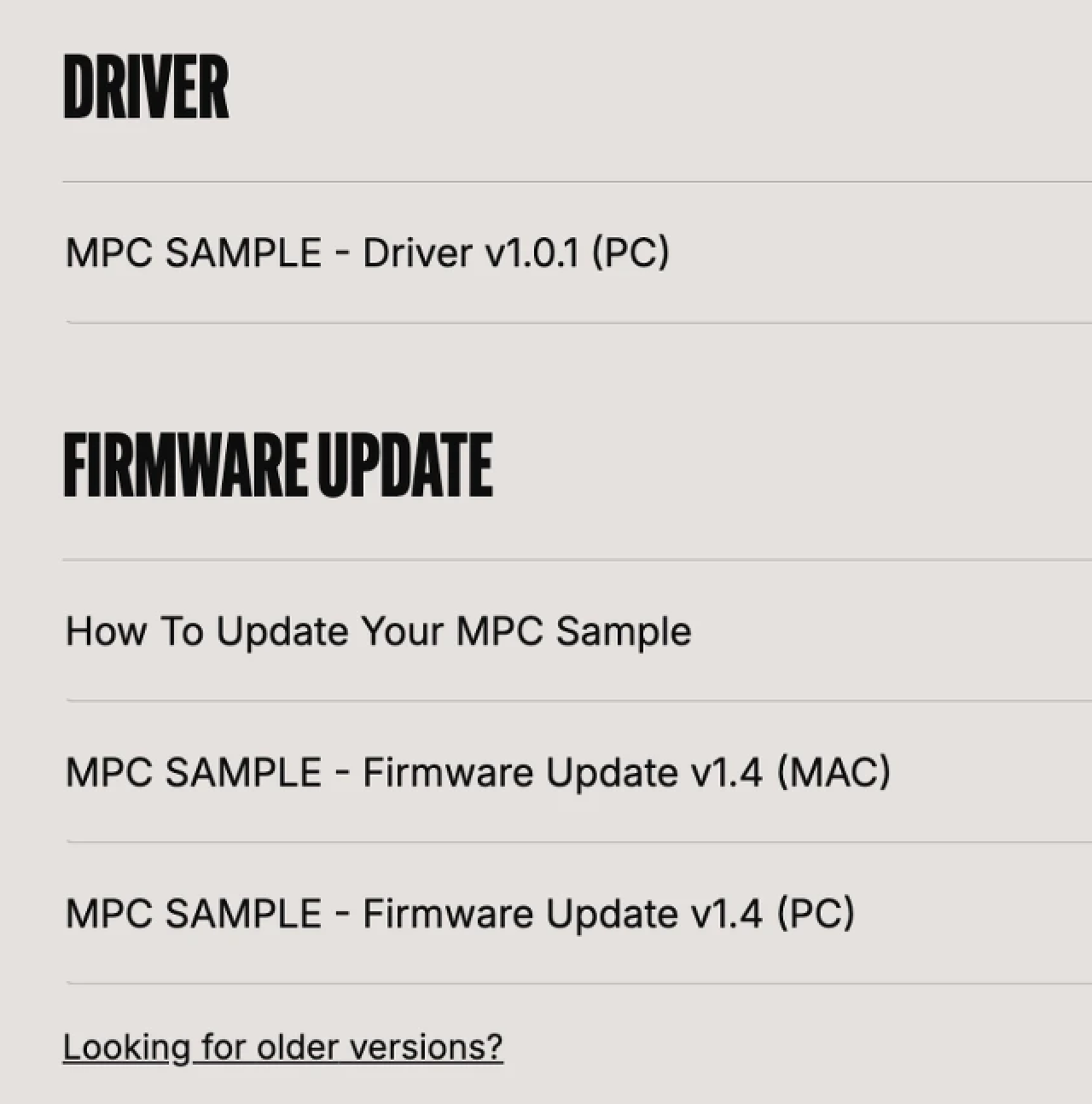
On Akai's website, open the MPC Sample Downloads pageUnder Firmware Update it lists v1.4 for Mac and for PCClick Looking for older versions? under them
Choose 1.3!
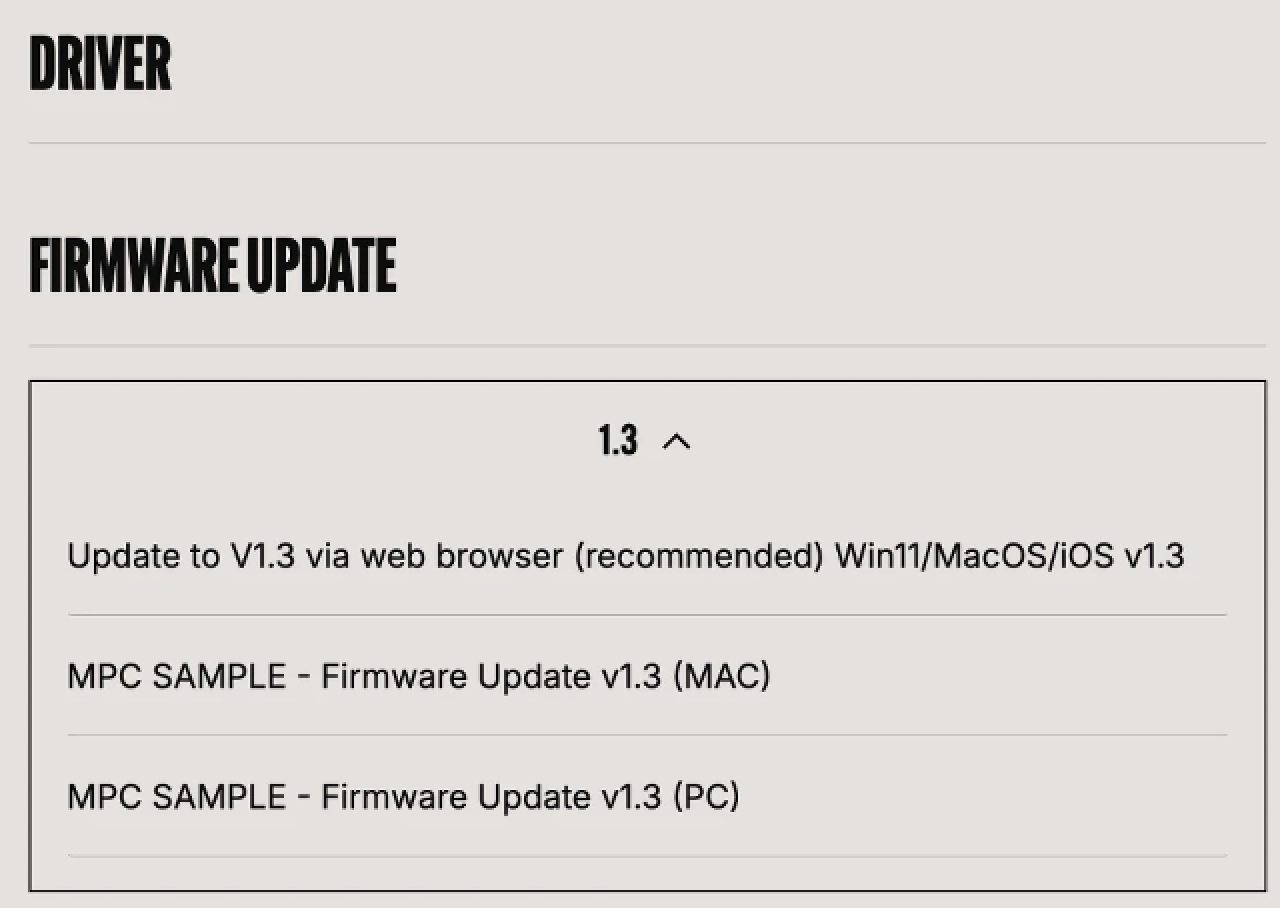
Open 1.3Download Firmware Update v1.3 for your computer: (MAC) on a Mac, (PC) on WindowsThe page also lists an update through a web browser for Windows 11, macOS and iOS; this card uses the updater appAkai lists it as v1.3Whether that is exactly 1.3.0.12 is not shown on the pageUnzip what you downloaded if it is zipped, and open the MPC Sample Updater app
Put the unit in update mode
Hold three keys, then connect it!
CHOPMUTESAMPLE SELECTheld+POWER BUTTON
MPC SAMPLE›USB-C›COMPUTER
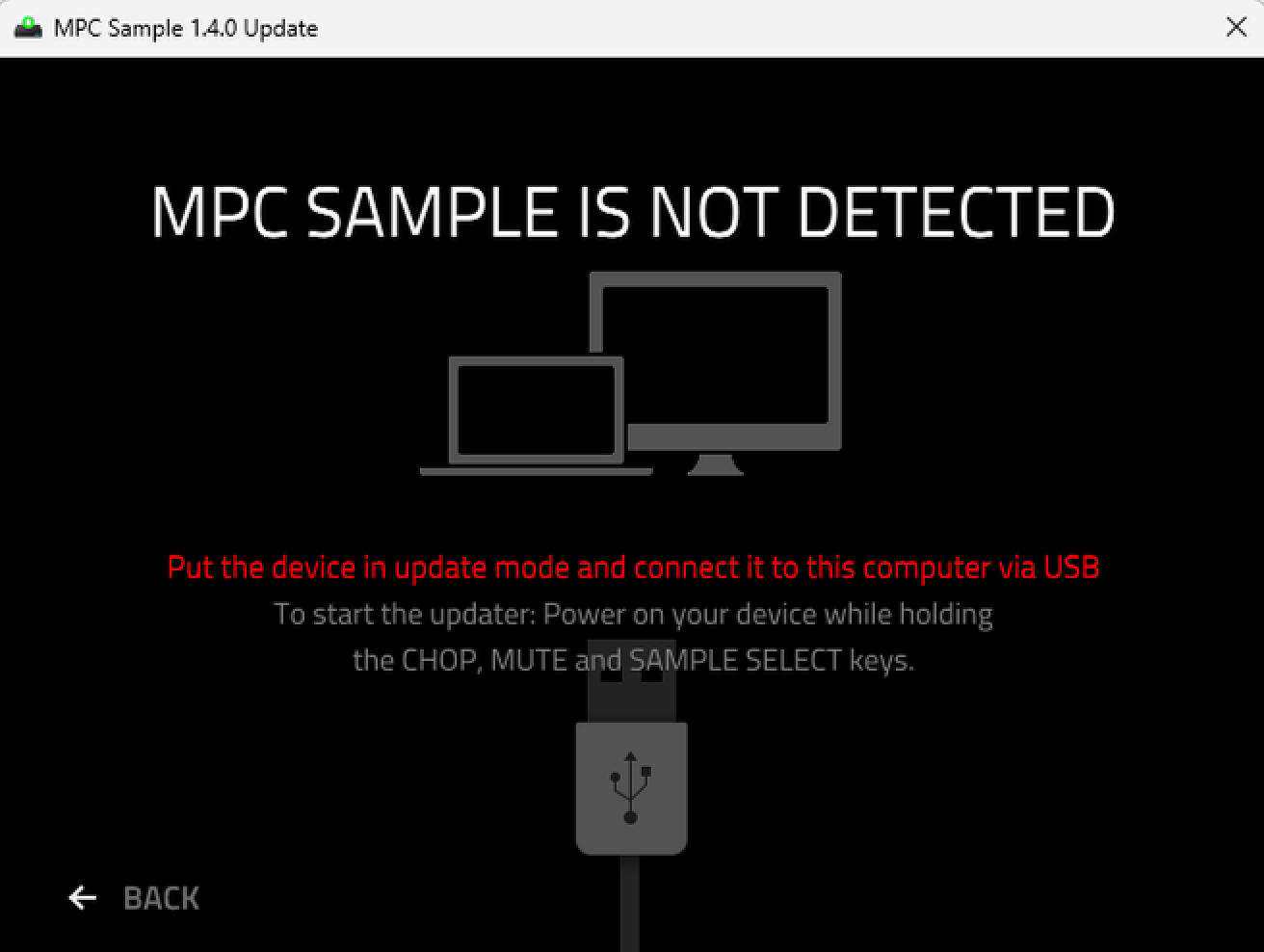
Power on the MPC Sample while holding CHOP, MUTE and SAMPLE SELECT.Connect it to the computer with the USB-C cable that came with it.Until it is connected in update mode the app says MPC SAMPLE IS NOT DETECTED and shows the same key combination. This window is from the 1.4.0 updater on Windows; the 1.3 updater's window may read differently.
Run the update
Update and wait!
UPDATE MPC SAMPLE›TRANSFERRING UPDATE
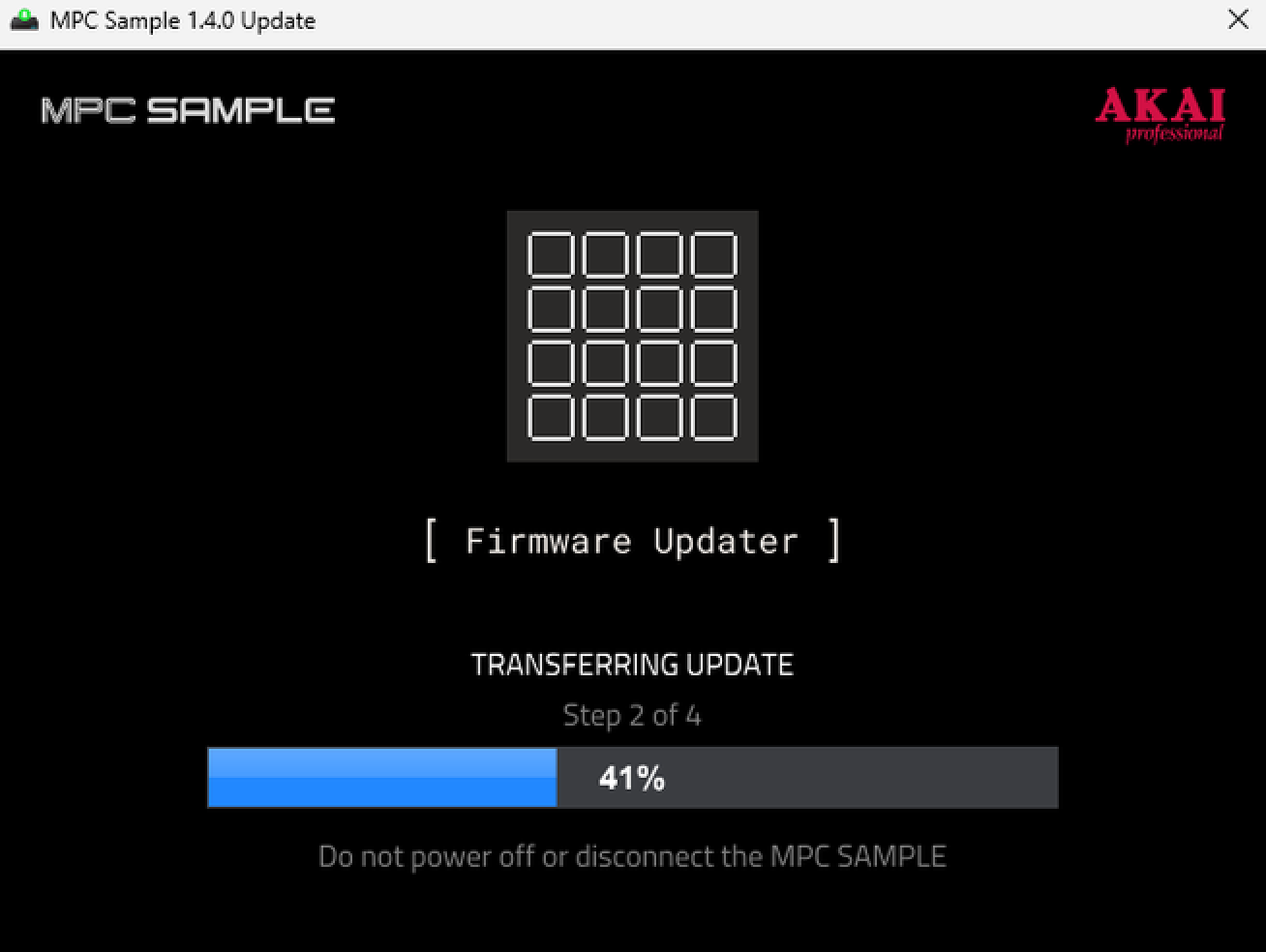
In the MPC Sample Updater app, click UPDATE MPC SAMPLEThe app shows its progress in steps, for example Step 2 of 4Wait until it finishesDo not power off or disconnect the MPC Sample while it runs
Then start DFOS!
When the update is done, put the DFOS card in and start DFOS as usual. Screenshots on this page are from Akai's website and updater app, not from DFOS.
More guides