Quick start
Play scales, chords and progressions, in panels
A track can play in a scale, or play a set of sixteen chords on its pads. Chords chain into progressions that play along or are written into the sequence. The full details are in the manual. All quick start guides
Scales
Choose a scale!
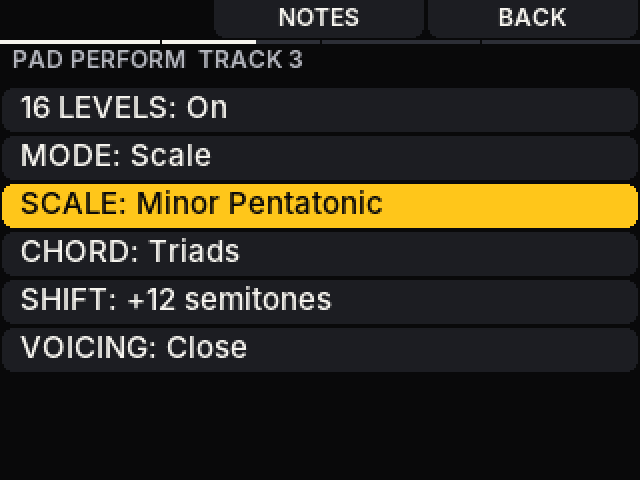
SHIFT+16 LEVELS›TURN THE ENCODER›SCALE›−or+
SHIFT and 16 LEVELS open Pad Perform Setup (again: close it)The encoder chooses the Scale row and − and + choose one of 21 scales; the pads then play the selected pad in itEach track keeps its own scale, and B3 goes back
See the notes!
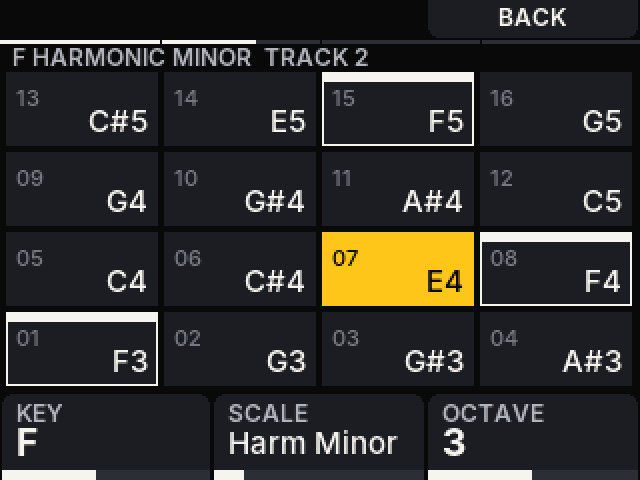
B2 (Notes) lays the scale over the sixteen pads as the notes they play, pad 1 at the bottom left, with the roots framedK1 sets the keyK2 the scaleK3 the octaveB3 goes back
Chords in a scale!
SHIFT+NOTE REPEAT
SINGLE NOTES›TRIADS›SEVENTHS›PROGRESSIONS
With the Mode on Scale, SHIFT and NOTE REPEAT step the pads through single notes, triads, seventh chords and progressions, where each row of four pads plays a four-chord progression of the scaleSettings > Chord Voicing sets how the chords are voiced
Chord sets
Play a set's chords!
CHORD SET›−or+
MODE: CHORDS›PAD 1PAD 2PAD 3
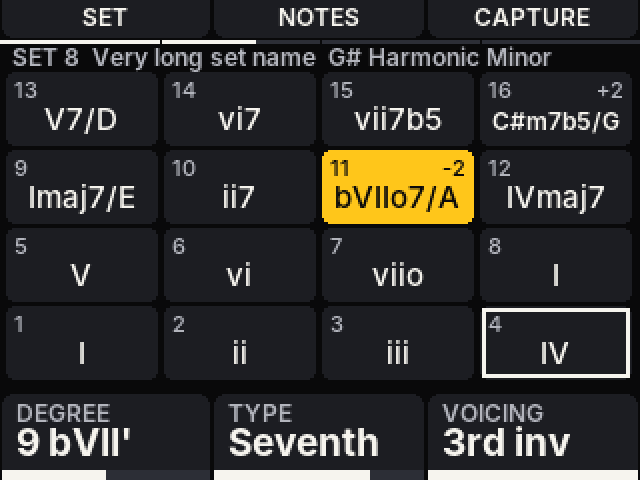
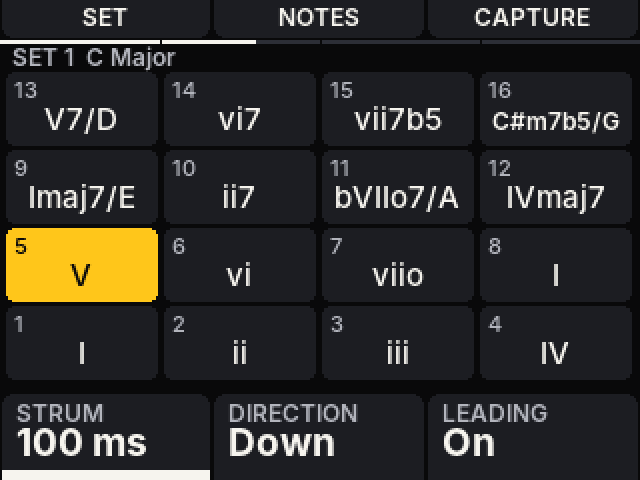
A chord set is sixteen chords, one for each padA project holds up to eight, and each track plays the one its Chord Set row namesWith the Mode on Chords, pad n plays chord n, and a pad let go ends exactly that chord's notes
Build a chord!
PUSH on the Chord Set row opens the Chords pageA pad plays its chord and puts it in focus, ERASE and a pad removes it, and an empty pad becomes a chord at the first turn of a knobK1 is the root or degreeK2 the typeK3 the voicing
Name the set and its key!
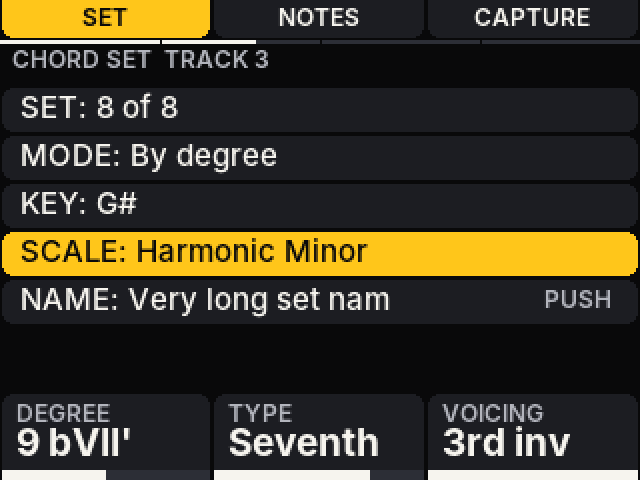
B1 (Set) opens the set's sheet: which of the eight sets the track plays, own chords or by scale degree, the key, the scale and the nameBy degree, every chord of the set follows the keyB1 again goes back
Note by note!
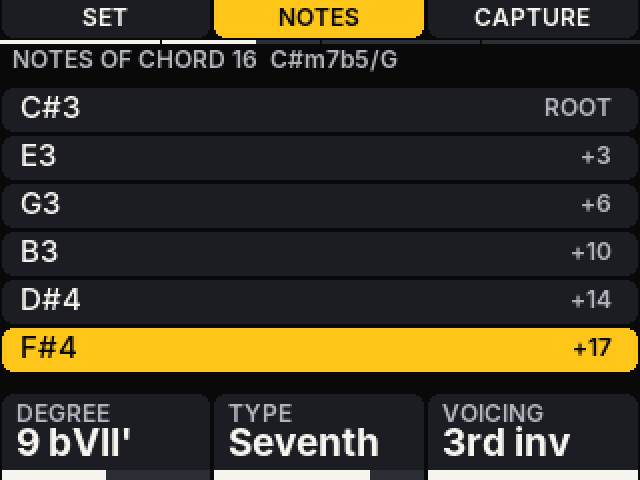
B2 (Notes) lists the chord's notes− and + choose one and the encoder moves it a semitonePUSH adds a note, six at most, and ERASE takes one outAny change makes the chord's type Own
Capture a chord!
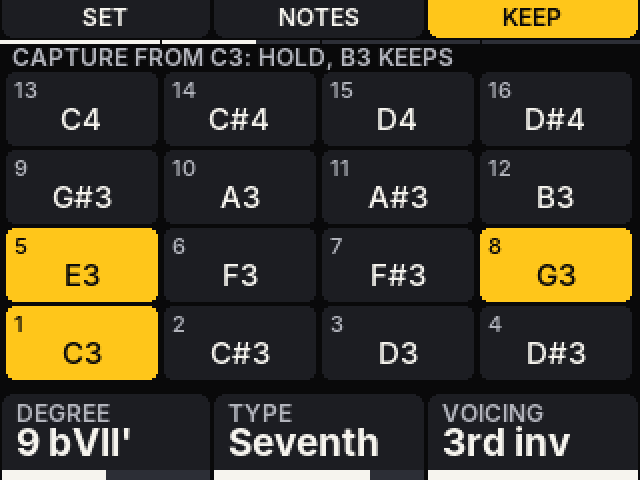
B3 (Capture) turns the pads into sixteen semitones from the chord's root; the encoder moves them an octaveHold the notes you want, notes held on MIDI count too, then press B3 or PUSH againHeld nothing: it cancels
Strum and voice leading!
On the Chords page SHIFT and K1 set the strum, 0 to 100 ms between notes, and SHIFT and K2 its direction, Up or DownSHIFT and K3 turn voice leading on or off: each chord then takes the inversion and octave nearest the one before
Progressions and arp
Make a progression!
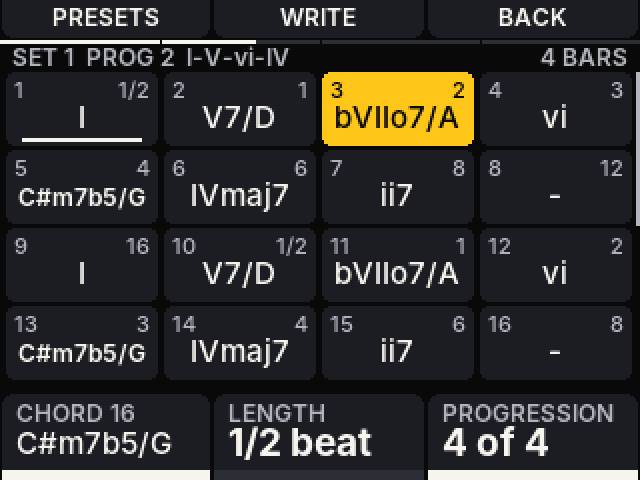
SHIFT and B2 on the Chords page open the Progression pageA set holds four progressions of up to 32 stepsA pad adds its chord as a step, K1 sets the step's chord, K2 its length (half a beat to 16 beats) and K3 which progression is shown
Ready-made progressions!
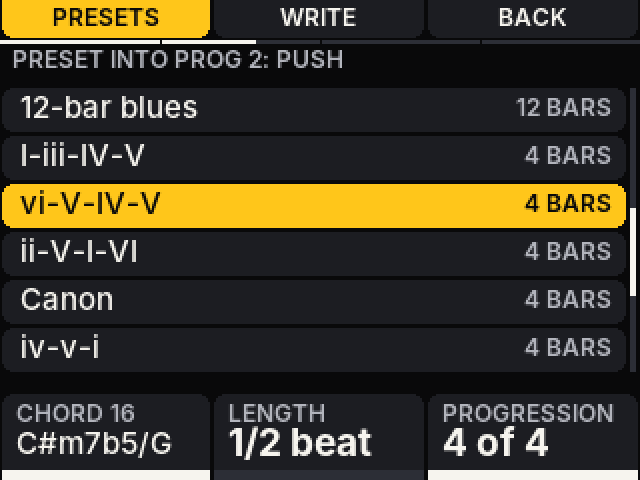
B1 (Presets) lists progressions by scale degree, such as 12-bar blues, Canon and ii-V-IThe encoder chooses and PUSH puts one into the progression shownPUSH on the Progression page itself plays it, and PUSH again stops it
Play along!
PROGRESSION›−or+
PAD 1PAD 2PAD 3PAD 4
Set the Progression row of Pad Perform Setup to 1 to 4, with the Mode on ChordsThe pads then follow it in timePad 1 plays the step's chord, pads 2 to 4 its inversions, pads 5 to 12 those an octave up and down, and pad 16 the root alone
Write it into the sequence!
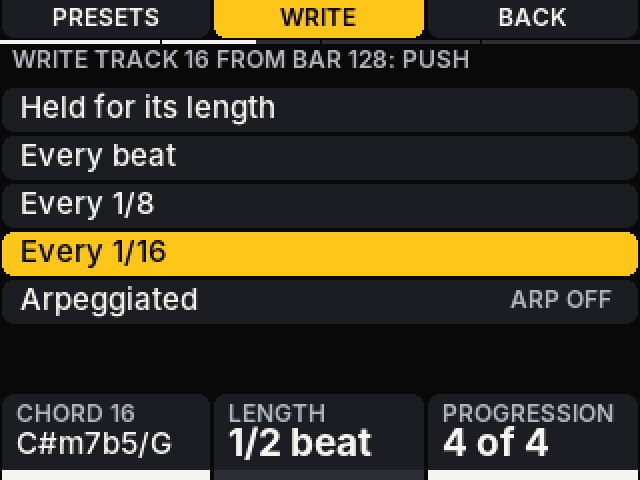
B2 (Write) writes the progression into the current track's sequence from the locatorThe encoder chooses Held, Every beat, Every 1/8, Every 1/16 or Arpeggiated, and PUSH writesIt is one undo
The arpeggiator!
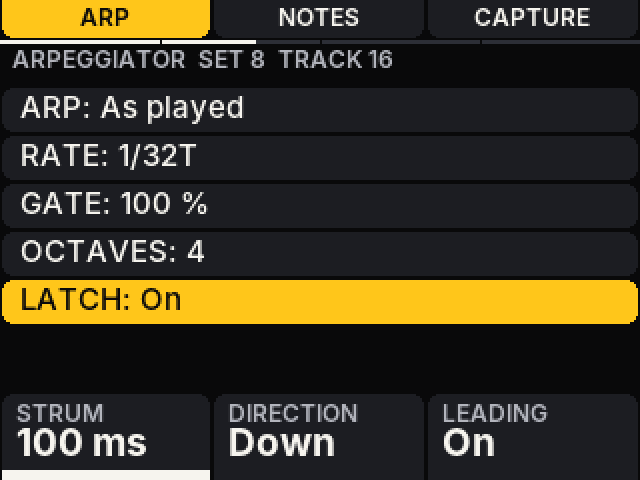
SHIFT and B1 on the Chords page open the arp sheet; each set has its own, off at first− and + choose the row and the encoder changes it: the order (Up, Down, Up-Down, Down-Up, As played or Random), rate, gate, octaves and latch
More guides