Open Sample Mode!
SAMPLE
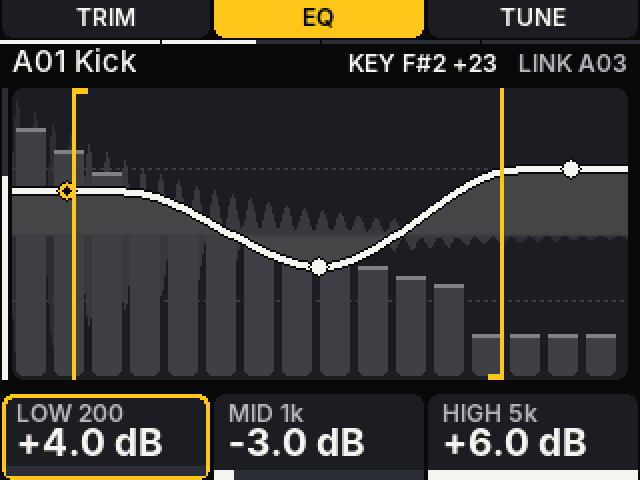
SAMPLE opens Sample Mode for the selected pad: its waveform on top and a page of three values on K1, K2 and K3The three tabs above the screen sit over B1 B2 B3
Quick start
The SAMPLE button opens the selected pad's sound. Its pages come in three groups, one for each of B1, B2 and B3, with three values on K1 to K3. The full details are in the manual. All quick start guides
SAMPLE opens Sample Mode for the selected pad: its waveform on top and a page of three values on K1, K2 and K3The three tabs above the screen sit over B1 B2 B3
B1 The sound's start and levelTrim: start, end, loopMix: level, pan, stereoAmp Env: attack, release, velocityTail: a repeating endLayer: up to eight samples on one padB2 Pitch and how it playsTune: semitones, fine tune, warpPlay: one shot or note on, voices, mute group, pad linkP Env: the pitch envelopeArtic: flam, drag, rollStack: unison voicesL Part: the part of a layer's sample, and its panB3 Filter and movementFilter: type, cutoff, resonanceFilter Env: the filter's envelopeEQ: three bandsShape: the level envelope's delay, hold, decay and sustainDrum FX: eight slots a padLFO: movement of pitch, filter or levelRandom: a little change each hitMoving aroundA short press steps to the button's next pageHold a button to list its pagesWith SHIFT held, B1 is Loop Lock, B2 Normalize and B3 Flatten
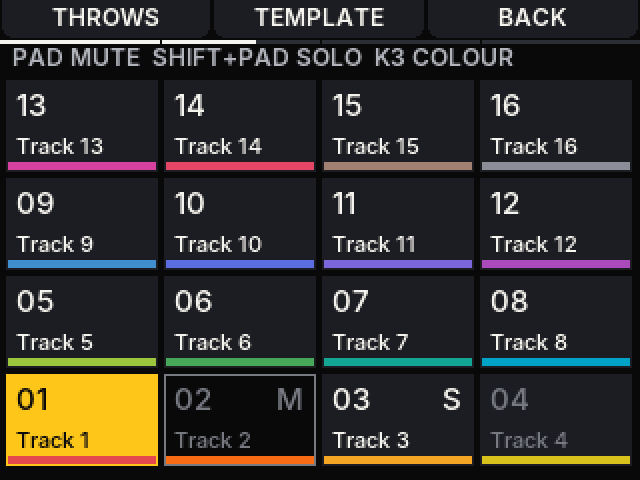
A quick SAMPLE and a pad selects that pad without a soundHold SAMPLE for a moment and the sixteen tracks show in their colours: a pad selects its track, and a free tile makes a new one
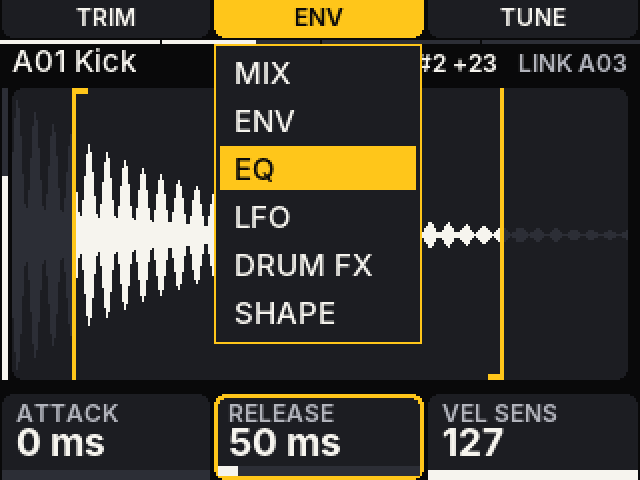
B1, B2 and B3 each step through a group of pages: a short press goes to that group's next pageHold one to list its pages, choose with the encoder and let go to open it
K1 to K3 set the page's three values−, + and PUSH move the outline between them (PUSH goes K1, K2, K3 and round), and the encoder fine-adjusts the outlined oneSHIFT and a knob set a second value on many pages, named on the cards belowThe fader is the pad's level on every page
K1 is the startK2 the endK3 the loop start, which reads Locked until Loop Lock is offSTOP and the encoder zoom the waveformSHIFT and K1, K2 or K3 zoom round the start, the end or the loop point, from the whole sample to every sample, and put that knob in focus
K1 is the pad's level, −48 to +6 dBK2 its panK3 is Stereo: Left, Right, Mono, 10 to 90 % wide, or Stereo as recorded, heard at onceSHIFT and K2 set the whole track's level
K1 is the attack up to 2 sK2 the release up to 4 sK3 how much velocity mattersA picture of the level envelope is drawn over the waveform, and what the knob in focus moves is drawn in the knob colour
K1 is a repeating, fading end of Off to 10 s and K2 is where the repeated part starts, 0 to 95 %.
Up to eight samples on one padSHIFT and K1 choose the layer, 2 to 8; K1 is its level, K2 its tuning and K3 the velocity it joins in fromOn B2, the L Part page sets the part of the sample it plays and its place left or right; SHIFT and K1 there choose how a hit picks a layer: Velocity, Cycle, Random or No repeat
K1 is semitones, ±24K2 fine tune, ±90 ctK3 is the root key, for Keygroup tracks onlySHIFT and K1 set a speed of 50 to 200 %SHIFT and K2 a Warp of Off or 1 to 64 beats at the tempoSHIFT and K3 whether Warp changes the Speed or Stretches
K1 is One Shot or Note On (sounding while held)K2 Poly or MonoK3 the mute group, Off or 1 to 16SHIFT and K1 start a hit part-way inSHIFT and K2 choose Stereo, Left, L+R or RightSHIFT and K3 link another pad
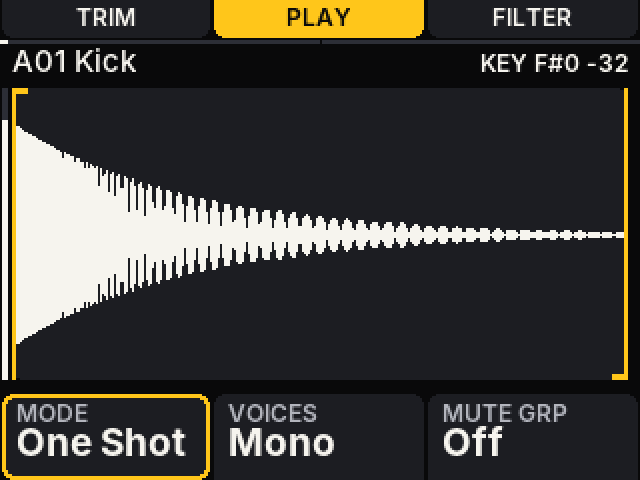
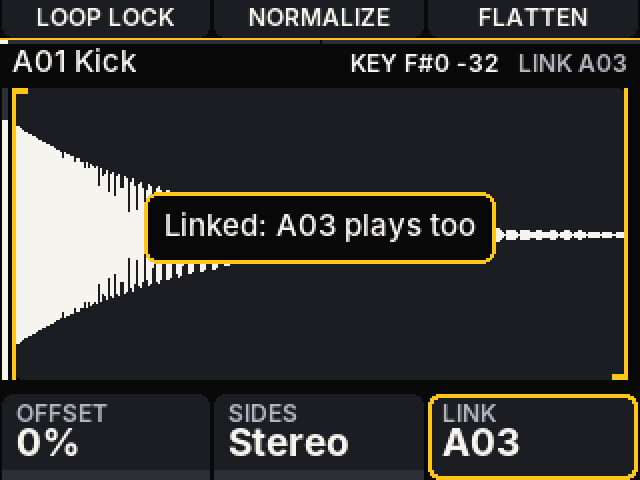
Pad Link makes another pad play whenever this one doesPress B2 twice to reach Play, hold SHIFT and turn K3 to choose the other pad of the bank, 1 to 16, or OffThe title shows LINK and its name, and a message says "Linked: A03 plays too"The other pad plays as itself, with its own sound and settings, and its own link is not followedA pad cannot link to itself, and one undo takes the link back
K1 is how far the pitch moves, ±48 semitonesK2 its attackK3 its decaySHIFT and K1 set how much velocity decides the depth
K1 chooses Off, Flam, Drag or Roll: quiet grace hits and then the hit. K2 is the gap between them, 5 to 120 ms.
K1 is the unison voices (Off, or 2 to 5)K2 the detune up to 100 ctK3 the stereo spread; SHIFT and K1 choose how their tunings are spread
K1 chooses the filter: Off, Classic, LPF 2, LPF 4, HPF 2, HPF 4, BPF 2 or BPF 4K2 is the cutoff, 20 Hz to 20 kHz, and K3 the resonanceA picture of the filter's response is drawn over the waveform, with a line at the cutoffOn this page the fader is the cutoff
K1 is the attackK2 the decayK3 how deep it opens, up to 8 octavesThe envelope is drawn over the waveformSHIFT and K2 choose Decay From Start or From EndSHIFT and K3 set the sustain
Three bands, K1 low (200 Hz), K2 mid (1 kHz) and K3 high (5 kHz), each from −12 to +12 dB. They are drawn as a curve, with what sounds now behind it.
K1 is the holdK2 the decayK3 the sustain of the level envelope, and SHIFT and K1 set a delay of 0 to 1000 ms before the sound begins
Eight small effect slots on each pad, run one after the otherK1 is the slot's kind, from Drive and Crush to Ring and BassK2 its amount; SHIFT and K1 choose which of the eight slots the page shows
K1 chooses what moves: Off, Pitch, Filter or LevelK2 is the rate, 0.1 to 20 Hz, and K3 the depthSHIFT and K1 choose the shape: sine, triangle, square or saw
Each hit is a little different: K1 is random pitch up to 12 semitones, K2 level and K3 panSHIFT and K1 start each hit up to that share laterSHIFT and K2 move each hit's filter
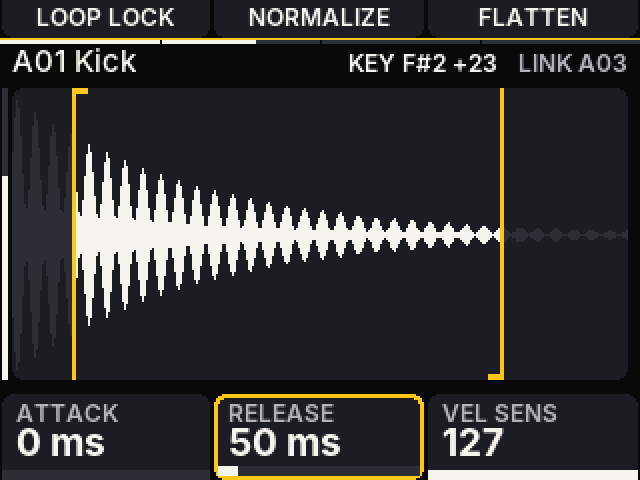
With SHIFT held the top row names three jobs: B1 Loop Lock, B2 Normalize and B3 FlattenLoop Lock on keeps the loop at the start; off, K3 on Trim sets the loop start
SHIFT and B2 normalize and SHIFT and B3 flatten. Each makes a new sample with the pad's processing in it.
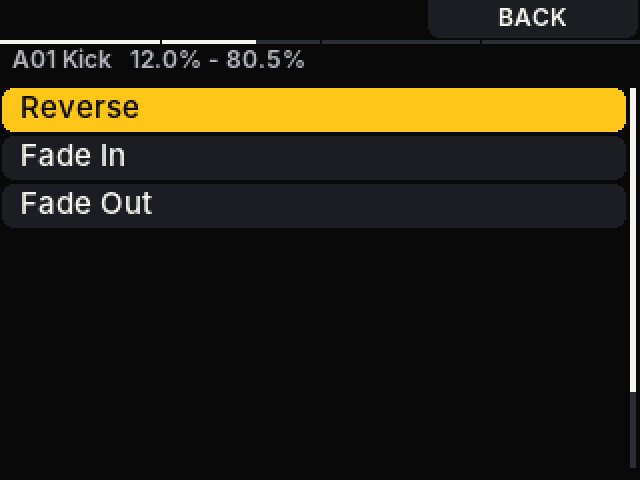
SHIFT and PUSH open Process: jobs on the pad's region, such as Reverse, fades, tempo and key readings (estimates) and Split into StemsEach job is picked with the encoder and PUSH
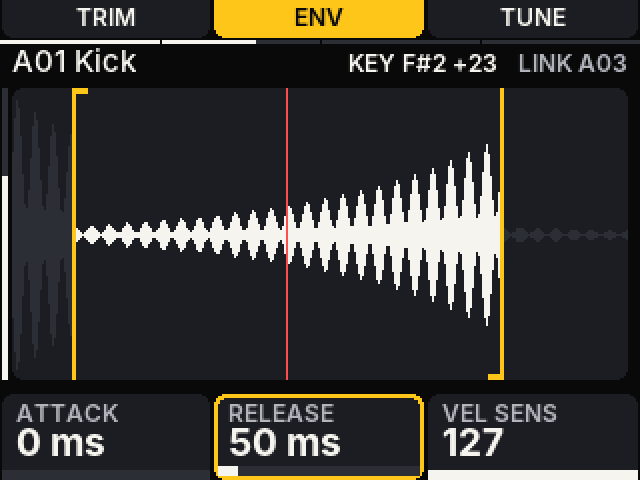
LOOP steps the pad's loop: Off, Loop, Ping-PongPing-Pong plays forward to the end and back to the loop point while the pad is heldSHIFT and LOOP play it in reverse, and the range is drawn back to front