Open the Mixer!
STOP+PAD 4
STOP and pad 4 open the Mixer: strips side by side like a desk, each with a level bar, a meter and M and S boxesLevels read in dB, and meters turn orange from -6 dB and red near full scale
Quick start
The Mixer is the desk: tracks, submixes, returns and Main. The Master FX Chain is five effects for the finished mix. The full details are in the manual. All quick start guides
STOP and pad 4 open the Mixer: strips side by side like a desk, each with a level bar, a meter and M and S boxesLevels read in dB, and meters turn orange from -6 dB and red near full scale
K1 or the fader is the selected strip's levelK2 its panK3 where it goes: Main, a submix bus 1 to 8, or USBNear 0 dB the level has a detent: the three steps round unity read exactly 0.0 dB
The encoder, or − and +, walks along the strips and over the edge to the next page: tracks 1 to 8, tracks 9 to 16, the eight submixes, then the three returns with MainOn the submix and returns pages pads 1 to 8 select a strip; on the track pages the pads play the trackB2 steps the view: Tracks 1-8, Tracks 9-16, Sub 1-8, Ret - Main, and round, and its label names the view that is up
MUTE mutes the selected stripMain has no mute: its level is the MAIN VOLUME knobOn the submixes and returns, SHIFT and MUTE solo that strip among its kind, for the session only, and SHIFT and B2 clear every track's mute and solo
Hold SHIFT and the three knobs become sends 1 to 3: how much of the track goes to each of the three returnsWhile recording, level, pan and send moves are written into the sequence where they happen and played back
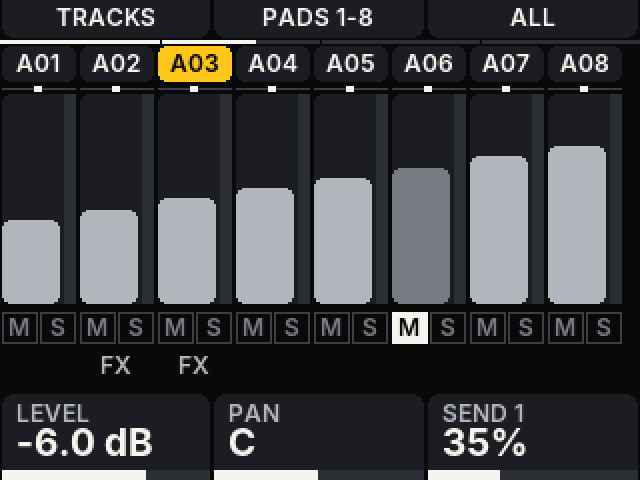
B1 opens the Pad Mixer, the same for the pads of the track: K1 is level, K2 pan and K3 the pad's own send to return 1, with SHIFT sends 1 to 3B2 shows the bank's other eight pads, and B1 goes back to the tracks
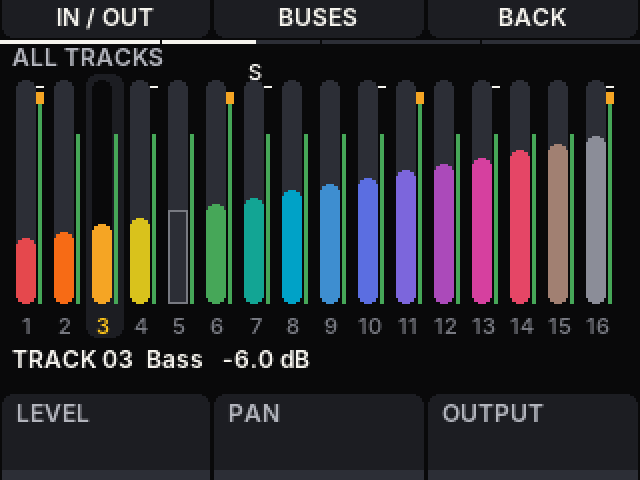
B3 opens All Tracks: the sixteen tracks as faders with meters, and B2 switches to the eight submixes, the three returns and MainThe encoder, − and + or a pad choose a strip, K1 to K3 are its level, pan and output (SHIFT for sends) and PUSH opens the track's own editorB3 goes back
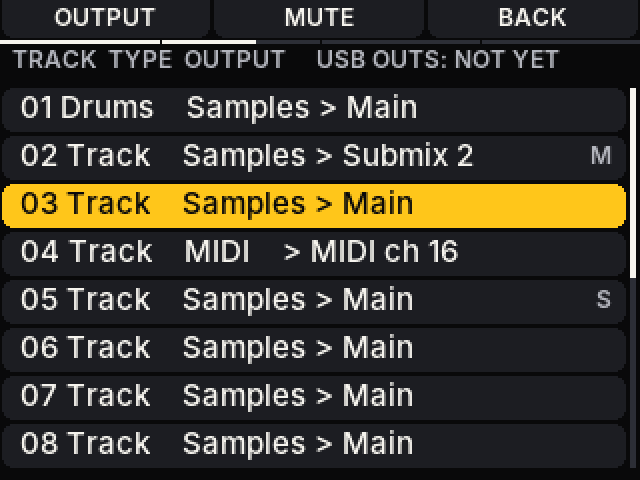
B1 on All Tracks opens Inputs and Outputs: each track's output, Main or one of the eight submixesB1 gives the selected track its next output, B2 mutes it and PUSH opens its Track pageSHIFT and B1 open Inputs, where the audio inputs are heard in the mix: K1 is level and K2 pan
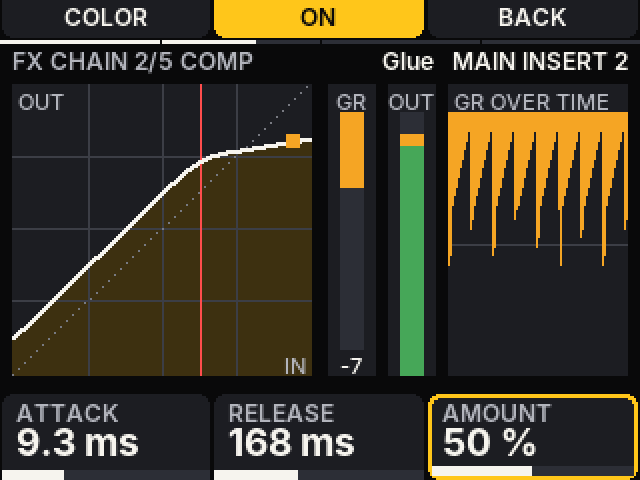
SHIFT and pad 5 open the Master FX Chain on its second page, the Compressor on Main, with its curve and how much it takes offB2 puts a Compressor into Main's first free insert and switches it on and off, and B1 steps its colour: Clean, Glue, Punch, Opto or WarmK1 is attackK2 releaseK3 amount; with SHIFT, threshold, ratio and makeup
− and + step through the chain's five pages: EQ, Comp, Color, Stereo and LimitOn each page B2 puts that effect into Main's first free insert, changing nothing until a knob is turned, and B3 leavesThe encoder follows the knob last turned
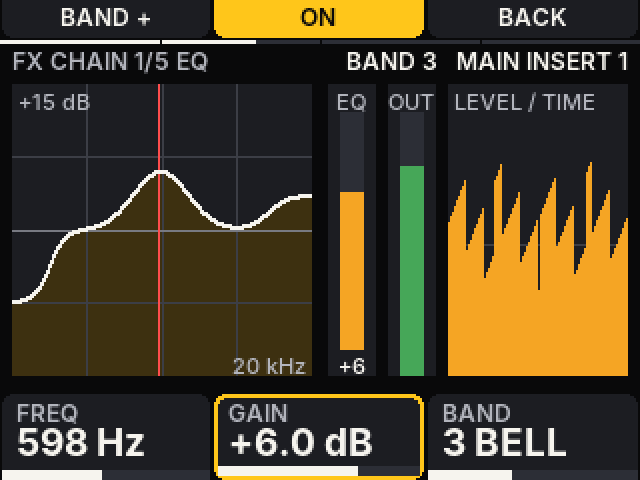
On the EQ page B1 steps to the next bandK1 is its frequencyK2 its gainK3 the band, and the page draws the curveWith SHIFT, K1 and K2 set the low and high shelves
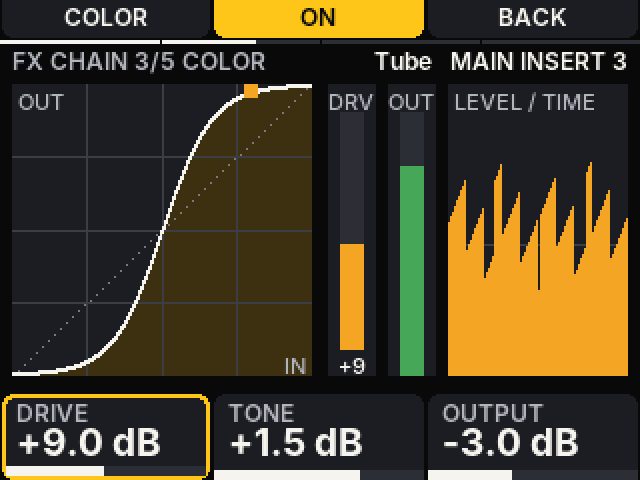
On Color, B1 steps through the curves Tape, Tube, Iron and Clip; K1 is drive, K2 tone and K3 outputOn Stereo, K1 is width, K2 bass mono and K3 output, and with SHIFT K1 and K2 set the mid and side levels
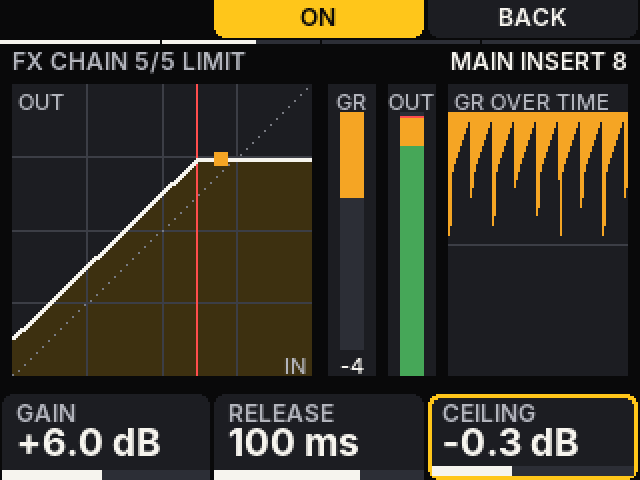
The Limit page has K1 gain, K2 release and K3 ceilingA Limiter put in with B2 starts with no gain and a ceiling of -0.3 dB, and the screen shows how much it takes off
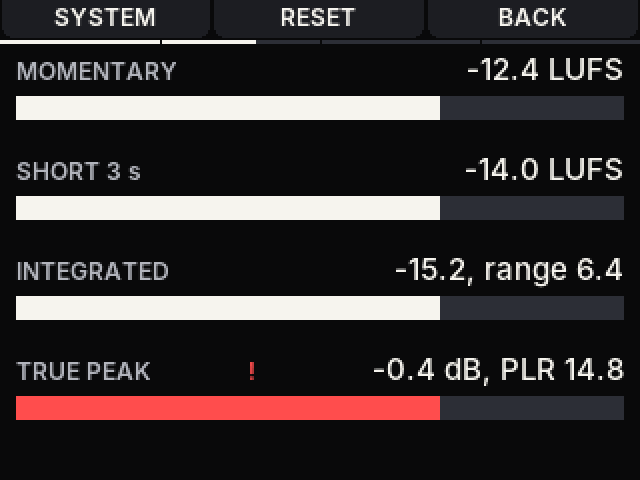
STOP and pad 10 open Meters, and B1 shows loudness: momentary, short-term and integrated LUFS, and true peakB2 resets it, and PUSH switches between the mix and a reference track