Open Sequence Edit!
SHIFT+B1
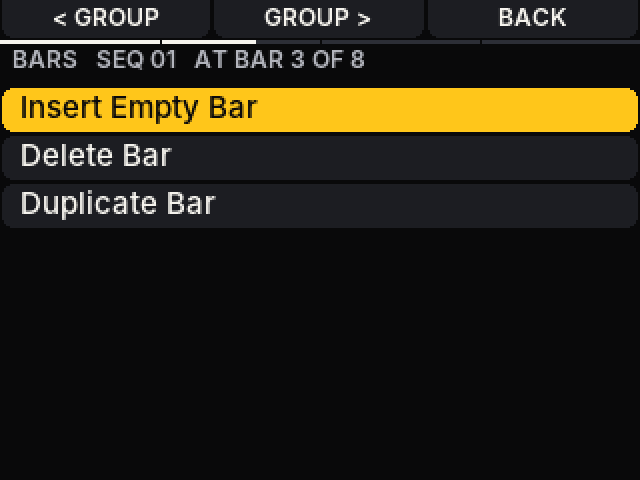
On the Main screen press SHIFT and B1The jobs are in five groups: Bars, Copy, Erase, Timing and MoreThe top line names the group, the sequence and the bar
Quick start
Sequence Edit is one list of jobs in five groups. Each works on the track you are on, at the bar the playhead is in. The full details are in the manual. All quick start guides
On the Main screen press SHIFT and B1The jobs are in five groups: Bars, Copy, Erase, Timing and MoreThe top line names the group, the sequence and the bar
The encoder, or − and +, chooses a job and PUSH runs itB1 and B2 jump to the group before or afterB3 goes backJobs that change the sequence are one undo each
Insert Empty Bar, Delete Bar and Duplicate Bar work on the bar the playhead is inTrack Length: Add a Beat makes the track's own length a beat longer each time you press PUSH
Copy to a New Sequence puts this sequence's notes into the first empty oneThis Track: Copy Bar to the Next puts the track's notes of this bar into the next bar
Insert the Next Sequence Here puts the next sequence in at this bar, and what was there moves laterReplace From Here takes the place of what is thereMerge adds its notes and moves and takes nothing out
The Erase group goes from one track's notes in this bar to every note of the sequence, and covers the notes between the first two locators and recorded movesIt asks first: press PUSH again
Quantize This Track to Q puts every note start on the nearest Q stepHalfway moves it half the distance, and Quantize Note Ends to Q does the endsWith Q off they ask you to choose a Q first
Legato makes each note reach the pad's next noteShift This Track a Step Later or Earlier slides every note a Q step, and notes that pass the end come in at the other
Tempo and Swing each switch between this sequence's own value and the project'sPUSH togglesWith its own tempo, it comes into force exactly when the sequence takes over
Fade This Track In or Out (This Bar) writes a volume fade across the bar the playhead is in, as level moves in this sequence only.
List This Track's Moves lists the track's recorded moves: level, pad mutes and sound values. The encoder chooses one, B1 deletes it and B3 goes back.
Resample Sequence to the Pad renders the whole mix of this sequence, exactly its bars long, as a new sample on the selected pad.