Open the Song!
STOP+PAD 5
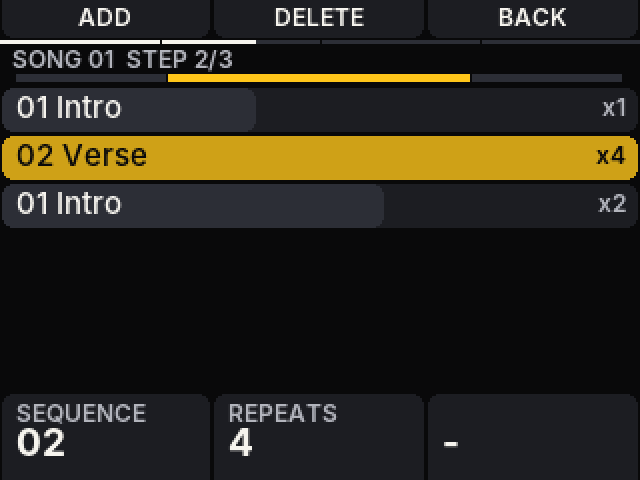
STOP and pad 5 open the Song pageA song is a list of steps; each step is a sequence and how many times it playsB3 goes back
Quick start
A song is a list of steps, each a sequence and the number of times it plays. Arrange draws the same song as a timeline. The full details are in the manual. All quick start guides
STOP and pad 5 open the Song pageA song is a list of steps; each step is a sequence and how many times it playsB3 goes back
B1 adds a step after the selected oneWhile stopped, pads 1 to 16 add sequences 1 to 16 as steps, without soundERASE twice clears the whole song
K1 chooses the step's sequenceK2 how many times it playsK3 sets whether the whole song loops or plays onceSHIFT and the encoder count repeats one at a time, and below 1 a step holds
B2 deletes the selected step at once, and SHIFT and − bring it back. A loop that reached over it is shortened.
On the Song page PLAY plays the song from its first step. On a step that holds, PLAY lets it go and the song moves on after that pass.
SHIFT and K2 set the selected step's own tempo, 40 to 240 BPM. Turned all the way down, the step follows its sequence's tempo.
SHIFT and B1 build the whole song into one sequence.
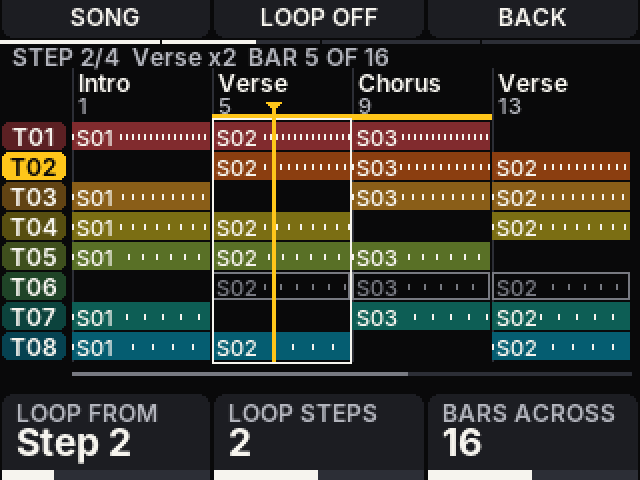
SHIFT and SAMPLE, from anywhere, draw the song as a timeline, with the tracks as lanesSHIFT and B2 on the Song page do the sameB3 goes back
The encoder moves through the steps− and + choose a track laneSHIFT and the encoder zoom along the songB1 is the Song and SHIFT and B1 open the Grid at that place
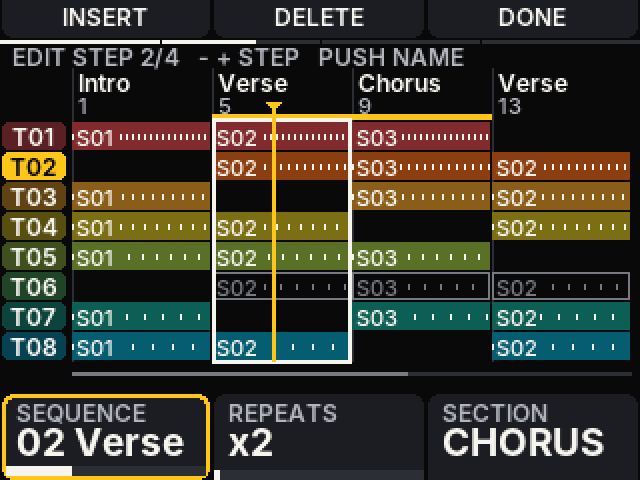
PUSH edits the selected step: K1 its sequence, K2 its repeats and K3 its section, such as Verse or Chorus− and + go to the step before or afterB1 inserts, B2 deletes (press it twice) and B3 is Done
B2 turns the loop brace on and offK1 sets where the loop startsK2 how many steps it coversK3 how many bars are shown
On Arrange PLAY plays from the selected step. With SEQ RECORD armed first, PLAY records into each step as it plays.